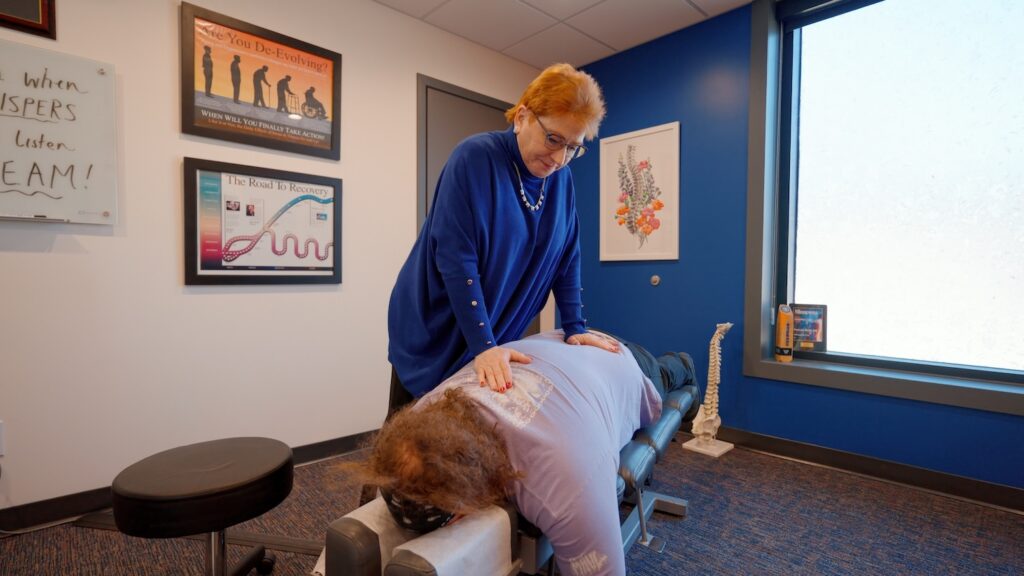
If you find yourself spending long hours at a desk, you may be experiencing discomfort or pain due to poor posture. This is a common issue that can lead to various health problems, but there’s good news! With some simple changes, you can greatly improve your comfort and well-being. As a local chiropractor, I want to share effective strategies that not only enhance your workspace but also support your spine and overall health.
- Choose the Right Chair: Invest in an ergonomic chair that supports your lower back. A chair with proper lumbar support encourages a healthy spine alignment, reducing strain on your back.
- Maintain Proper Desk Height: Your desk should be at a height that allows your elbows to be at a 90-degree angle. This helps to prevent shoulder and neck tension.
- Position Your Monitor Correctly: Your computer screen should be at eye level and about an arm’s length away. This reduces the need to slouch or lean forward, which can contribute to neck pain.
- Incorporate Movement: Take regular breaks to stand up, stretch, and walk around. Movement is essential for spinal health and helps to alleviate stiffness and discomfort.
- Practice Good Posture: Sit up straight with your shoulders back and feet flat on the floor. Be mindful of your posture throughout the day, as small adjustments can make a big impact.
- Stay Hydrated: Drinking plenty of water keeps your body hydrated and can help reduce fatigue and discomfort associated with long periods of sitting.
- Consider Chiropractic Care: Regular chiropractic adjustments can help improve your posture, relieve pain, and promote natural healing. A chiropractor can assess your specific needs and provide personalized care to enhance your overall wellness.
By implementing these strategies, you can create a healthier workspace that supports your spine and well-being. Remember, small changes can lead to significant improvements in your comfort and health. If you’re struggling with pain or discomfort, consider reaching out to your local chiropractor for guidance and support on your journey to optimal health.
Key Takeaways
- Adjust your chair height to ensure your legs are positioned properly. Your feet should rest flat on the floor, and your knees should form a 90° angle. This simple adjustment helps maintain spinal alignment and supports a healthier back.
- Position your monitor at eye level and about an arm’s length away. This helps reduce neck strain and encourages you to sit up straight, which is important for your overall spinal health.
- Use a quality keyboard and mouse designed to promote a neutral wrist position. This can significantly minimize strain on your arms and shoulders, making it easier to maintain comfort throughout your workday.
- Remember to take regular breaks every 30-60 minutes to stand up, stretch, and move around. These small actions promote circulation, reduce stiffness, and help keep your body feeling good throughout the day.
- Incorporate short stretches into your daily routine. Simple stretches can alleviate tension, improve your posture, and support your spine’s health. Small, consistent efforts can lead to significant improvements in how you feel.
By making these simple adjustments and incorporating regular movement into your day, you can support your spinal health and overall well-being. For those experiencing persistent discomfort or pain, chiropractic care can be an excellent choice for natural relief and optimal health. Your body deserves the best care possible!
Ergonomic Desk Setup
Creating an ergonomic desk setup is essential for maintaining your overall health and well-being, especially when it comes to spinal health. As a chiropractor, I understand the importance of a comfortable workspace to reduce strain on your body and prevent pain. Let’s go through some simple steps to create a setup that supports your spine and promotes natural healing.
First, start with your chair. Adjust its height so that your feet rest flat on the floor, allowing your knees to bend at about a 90-degree angle. This position helps maintain a healthy spinal alignment and reduces the risk of discomfort in your lower back.
Next, it’s essential to position your desk correctly. Ensure that it’s at a height that enables your elbows to bend comfortably while typing. Your wrists should remain straight, avoiding any unnecessary tension that could lead to pain or discomfort.
Now, let’s talk about your monitor. Place it an arm’s length away, with the top of the screen at or just below eye level. This positioning helps keep your neck in a neutral position, preventing you from leaning forward, which can lead to neck strain and other issues.
Don’t forget about lighting! Proper lighting reduces glare on the screen, which not only makes it easier to see but also helps you avoid straining your eyes.
Lastly, I can’t emphasize enough the importance of taking regular breaks. Stand up, stretch, and change your position often. These small actions can significantly benefit your spine and overall health.
The Importance of Chair Selection
Selecting the right chair is crucial for not only your comfort but also your spinal health and overall well-being at work. A well-chosen chair supports your posture, minimizes fatigue, and allows you to focus better. When you sit correctly, you’ll find your energy levels and productivity soar, and your body will thank you for it.
Here are some essential features to consider when choosing a chair, along with their importance for your health:
| Feature | Importance for Spinal Health | Example |
|---|---|---|
| Lumbar Support | Provides essential support for your lower back, reducing the risk of discomfort and pain | Ergonomic chairs designed with lumbar support |
| Seat Height | Ensures your feet rest flat on the ground, promoting better circulation and spinal alignment | Adjustable height options |
| Armrests | Helps to alleviate shoulder strain, which can lead to tension and discomfort | Padded and adjustable armrests |
| Seat Depth | Allows for proper knee clearance, preventing pressure on the thighs and enhancing circulation | 2-4 inches from the back of your knees |
| Material | Influences comfort and breathability, which can help you stay relaxed and focused | Breathable mesh or cushioned materials |
Investing time to choose the right chair is an investment in your health. A good chair supports your spine and encourages a healthy posture, which is essential for preventing pain and discomfort. Remember, regular chiropractic care can complement your chair selection, helping to maintain your spinal health and enhance your overall wellness.
Don’t overlook the importance of your workspace setup. By taking these simple steps, you can create an environment that promotes better health and productivity. Your body deserves the best care, and with the right chair and ongoing chiropractic support, you’ll be on your way to a healthier, more energized life.
Monitor Height Adjustment
Adjusting your monitor height is crucial for maintaining a comfortable and healthy workspace, especially when it comes to your spine health. The right height can help prevent neck strain and improve your overall posture, which are key components of natural wellness. Here’s how to set up your monitor properly for better spinal alignment:
- Eye Level: Position the top of your screen at or just below eye level. This way, you won’t have to tilt your head up or down, reducing strain on your neck and spine. Keeping your head in a neutral position promotes better spinal health.
- Distance: Keep your monitor about an arm’s length away. This distance not only helps prevent eye fatigue but also encourages you to sit up straight, further supporting your spine’s natural curves.
- Tilt: Angle your monitor slightly backward (about 10-20 degrees). This helps reduce glare and makes it easier to view the screen without leaning forward, which can lead to poor posture and discomfort.
- Stability: Ensure your monitor is stable and doesn’t wobble. A shaky screen can be distracting and may cause you to strain your eyes and neck as you try to focus. A solid setup will encourage you to maintain good posture.
Keyboard and Mouse Positioning
Positioning your keyboard and mouse correctly is crucial not only for maintaining comfort but also for supporting your spinal health and overall wellness during those long hours at your desk. By ensuring that your workspace is ergonomically sound, you can help prevent strain and discomfort that may lead to more serious issues down the line.
Ideally, your keyboard should be at elbow height, allowing your wrists to remain straight and your hands to be slightly elevated. This positioning helps maintain the natural curvature of your spine and reduces the risk of tension in the neck and shoulders. Your mouse should be placed close to your keyboard, so you can keep your arms relaxed and close to your body, promoting better posture and spinal alignment.
Here’s a quick reference table to help you optimize your workspace for better health:
| Positioning Element | Recommended Height |
|---|---|
| Keyboard | Elbow height |
| Mouse | Same level as keyboard |
| Wrists | Straight and relaxed |
Additionally, it’s important to ensure your chair supports your lower back, helping to maintain the natural curve of your spine. Avoid reaching for your mouse or keyboard, as this can lead to misalignment and discomfort. Small adjustments to your setup can lead to significant improvements in your comfort and productivity.
Regular Breaks and Movement
Even with the best keyboard and mouse setup, sitting for long hours can lead to discomfort and strain, especially on your spine. Regular breaks and movement are essential not just for your body, but also for maintaining a clear and sharp mind.
As a chiropractor, I want to emphasize that integrating movement into your work routine can help prevent pain and promote overall wellness. Here are some simple strategies to keep your body feeling good:
- Stand up every hour: Set a timer on your phone to remind yourself to rise and stretch your legs. This simple act can reduce stress on your spine and improve circulation.
- Walk around: Take a quick lap around your office or home. This not only gets your blood flowing but also helps to relieve tension in your back and neck.
- Change your position: If you have a height-adjustable desk, alternate between sitting and standing. This variation can help to keep your spine aligned and reduce fatigue.
- Incorporate mini-breaks: Step away for a few minutes to grab water or engage in a quick chat with a colleague. Movement, even in small doses, can help reset your posture and alleviate stiffness.
By making these small changes, you can help protect your spine and enhance your overall health. Remember, chiropractic care is an excellent way to maintain a healthy spine and support your journey towards optimal wellness.
If you’re experiencing discomfort or want to learn more about how to care for your spine, don’t hesitate to seek guidance from a chiropractor. Your body will thank you!
Stretching Exercises for Desk Workers
If you find yourself spending long hours at your desk, incorporating stretching exercises can significantly enhance your overall well-being. As a local chiropractor, I want to emphasize how simple neck stretches, shoulder mobility techniques, and lower back flexibility exercises can help alleviate tension, improve your posture, and support spinal health. These stretches aren’t only easy to fit into your workday but can also pave the way for a healthier lifestyle.
Let’s take a closer look at these effective stretches that can be seamlessly integrated into your daily routine:
- Neck Stretches: Gently tilt your head to one side, bringing your ear toward your shoulder. Hold for 15-30 seconds, feeling the stretch along the opposite side of your neck. This can help relieve tension and promote better alignment.
- Shoulder Mobility Techniques: Roll your shoulders forward and then backward in a circular motion. Repeat this 10 times in each direction. This exercise can help reduce stiffness and improve blood circulation to the shoulder area.
- Lower Back Flexibility Exercises: While seated, sit up tall and gently twist your torso to one side, holding onto the arm of your chair for support. Hold for 15-30 seconds and then switch sides. This stretch can help maintain flexibility in the lower back and reduce discomfort.
Remember, regular stretching can contribute to better spinal health and prevent the onset of pain. While these exercises are beneficial, nothing compares to the comprehensive care provided by chiropractic adjustments.
Chiropractic care not only addresses existing pain but also promotes overall wellness, helping you live a more active and fulfilling life.
Incorporating these stretches throughout your day can be a simple yet effective way to enhance your well-being. Always listen to your body, and if you experience persistent discomfort, consider scheduling a visit to your chiropractor for personalized care tailored to your needs. Your spine will thank you!
Neck Stretches for Relief
After spending hours in front of a screen, it’s common to experience tightness and strain in your neck. This discomfort can often be alleviated with simple neck stretches, but remember that regular chiropractic care can also play a significant role in maintaining your spinal health and overall wellness.
Here are some effective neck stretches you can incorporate into your routine:
- Neck Tilt: Gently tilt your head to one side, bringing your ear toward your shoulder. This stretch helps relieve tension in the neck muscles. Hold for 15 seconds, then switch sides. Remember, a well-aligned spine can contribute to less strain in these areas.
- Chin Tuck: Sit up straight and tuck your chin toward your chest. This exercise helps in re-aligning your neck and spine. Hold for 5 seconds, then release. Repeat a few times to enhance mobility and support your neck’s natural posture.
- Side Stretch: Raise one arm overhead and lean to the opposite side, feeling a gentle stretch along your neck. Hold for 15 seconds and switch sides. Stretching regularly can help maintain flexibility and reduce discomfort.
- Neck Rotation: Slowly turn your head to the right, then to the left, holding each position for 5 seconds. This rotation can promote better range of motion and help prevent stiffness.
Incorporating these stretches throughout your day can provide effective relief and support your neck health. However, to truly achieve optimal wellness, consider regular visits to a chiropractor.
Chiropractic care focuses on maintaining proper alignment of the spine, which is essential for overall health, pain relief, and natural healing. Don’t hesitate to reach out to a local chiropractor to discuss how they can help you achieve a healthier, pain-free lifestyle!
Shoulder Mobility Techniques
Maintaining good posture at your desk is essential for overall health, and your shoulders play a crucial role in this. When your shoulders are tight, it can lead to discomfort and misalignment of the spine, which can impact your overall well-being. To enhance shoulder mobility and promote better posture, consider incorporating some simple stretches throughout your day.
Start with shoulder rolls: lift your shoulders towards your ears, then roll them back and down in a smooth motion. Aim for 10 repetitions of this exercise to help release tension. Next, try the doorway stretch: place your arms against a doorframe and gently lean forward. This will help stretch your chest and shoulders, and you should hold this position for 15-30 seconds for maximum benefit.
Another effective stretch is the eagle arms stretch. Wrap one arm underneath the other and lift your elbows while keeping your shoulders relaxed. Hold this stretch for about 15 seconds. These exercises can significantly enhance your flexibility and support better posture while working.
Lower Back Flexibility
As a local chiropractor, I understand that sitting for long periods can lead to tightness and discomfort in the lower back. This is especially common for those of us who spend hours at a desk. Prioritizing flexibility is vital for maintaining a healthy spine and overall well-being. Incorporating some simple stretching exercises into your daily routine can significantly alleviate tension and improve your posture. Here are four effective stretches that I recommend:
- Knee-to-Chest Stretch: Lie on your back and gently pull one knee towards your chest. Hold this position for about 20 seconds, allowing your lower back to relax. Then switch legs. This stretch helps to relieve tightness in your lower back and promotes spinal flexibility.
- Cat-Cow Stretch: Get on all fours, positioning your hands under your shoulders and knees under your hips. Start by arching your back upwards like a cat, then lower your belly while lifting your head and chest (the cow position). Repeat this motion 5 times. This dynamic stretch helps to mobilize the spine and improve flexibility.
- Seated Forward Bend: While seated, extend your legs straight in front of you. Reach towards your toes, maintaining a straight back. Hold this position for 20 seconds. This stretch not only targets the lower back but also encourages relaxation throughout the spine.
- Child’s Pose: Kneel and sit back on your heels, stretching your arms forward on the floor. Hold this position for about 30 seconds. Child’s pose is a restorative stretch that allows your lower back to decompress, promoting relaxation and flexibility.
Incorporating these stretches into your daily routine can greatly enhance your lower back flexibility and overall spinal health. Remember, regular movement and stretching are essential for a healthy spine, and they can help prevent discomfort and pain. If you’re looking for a holistic approach to pain relief and wellness, chiropractic care can be an excellent choice. It focuses on natural healing and can help you achieve optimal health without the need for medications or surgeries.
Always be sure to listen to your body and consult with a chiropractor for personalized advice tailored to your specific needs. Your spine will thank you!
Posture-Correcting Tools and Accessories
To enhance your posture while working, it’s essential to consider not just ergonomic chairs and desk accessories, but also the role of chiropractic care in achieving optimal spinal health. Proper alignment of your spine is crucial for overall well-being, and chiropractic adjustments can help maintain this alignment, reducing discomfort and improving your daily productivity.
Using ergonomic tools can certainly provide comfort, but they work best when complemented by regular chiropractic care. A chiropractor can help identify any misalignments in your spine and guide you on maintaining a healthy posture throughout your workday. This combined approach supports your body’s natural healing processes and promotes a healthier lifestyle.
Here are some general tips to improve your posture and support your spine while working:
- Take Regular Breaks: Stand up and stretch every 30 minutes to avoid stiffness and encourage circulation.
- Mind Your Setup: Ensure your computer screen is at eye level, and your chair supports your lower back. Your feet should rest flat on the ground.
- Practice Good Sitting Habits: Sit back in your chair with your back straight and shoulders relaxed. Avoid slouching or leaning forward.
- Stay Active: Incorporate exercises that strengthen your core and back muscles. This will help support your spine and improve your posture.
- Consult a Chiropractor: Regular visits can help you maintain spinal alignment and address any issues before they become serious problems.
By focusing on these practices and incorporating chiropractic care into your routine, you can significantly enhance your comfort and well-being at work.
Ergonomic Chairs Benefits
As a local chiropractor, I’m passionate about helping you achieve optimal health and wellness, especially when it comes to your posture and spinal health. One key aspect of maintaining a healthy spine is the chair you sit in, particularly if you spend long hours at a desk. Investing in an ergonomic chair can offer numerous benefits that not only enhance your comfort but also promote better spinal alignment and overall well-being.
- Lumbar Support: Ergonomic chairs are specifically designed to support the natural curve of your spine. This support can help reduce tension in your back and prevent pain, making it easier to maintain a healthy posture throughout your workday.
- Adjustability: The best ergonomic chairs allow you to adjust the height, armrests, and recline settings. This customization helps you find the position that best fits your body, ensuring your spine stays aligned and reducing the risk of discomfort.
- Improved Circulation: A well-designed chair can facilitate better blood flow throughout your body. Good circulation is essential for preventing fatigue and discomfort, which can distract you from your tasks. When you feel good, you can focus better on your work.
- Increased Focus: When your posture is aligned and you’re free from aches and pains, you’re more likely to maintain concentration on your tasks. This can lead to increased productivity and a more enjoyable work experience.
While an ergonomic chair is a great tool for promoting spinal health, it’s important to remember that regular chiropractic care is the best way to achieve long-lasting pain relief and overall wellness. Chiropractic adjustments can help ensure that your spine remains properly aligned, which is crucial for preventing discomfort and maintaining optimal health.
In addition to investing in an ergonomic chair and seeking chiropractic care, here are some general tips to further enhance your spinal health:
- Take Breaks: Stand up, stretch, and move around every hour to keep your muscles engaged and prevent stiffness.
- Practice Good Posture: Sit with your back straight and shoulders relaxed to reduce strain on your spine.
- Stay Hydrated: Drinking water throughout the day is essential for maintaining healthy discs in your spine.
Desk Accessories Essentials
A well-equipped desk can significantly impact your posture and overall comfort while you work, which is crucial for maintaining spinal health. As a chiropractor, I want to emphasize the importance of creating an ergonomic workspace to support your body and enhance your well-being.
Start by investing in a quality keyboard and mouse that encourage a neutral wrist position. This helps prevent strain on your wrists and can reduce the risk of repetitive stress injuries. Additionally, consider using a monitor stand to elevate your screen to eye level—this simple adjustment can alleviate neck strain and promote better posture.
A footrest is another valuable tool to keep your feet flat on the ground, which supports your spine and encourages proper alignment. Don’t forget about a desk mat; it can provide cushioning for your feet and motivate you to move throughout the day, which is essential for keeping your body in balance.
Lastly, a document holder can be a game-changer. By positioning your materials at eye level, you minimize awkward neck angles that can lead to discomfort.
Incorporating these desk accessories not only creates a more ergonomic workspace but also aligns with the principles of chiropractic care, promoting better posture and overall health. Remember, your body deserves the best support while you work, and these simple changes can make a world of difference in your comfort and productivity.
If you’re experiencing pain or discomfort, consider seeking chiropractic care to address any underlying issues and support your journey to optimal health.